![XUno logo White with border.png]](https://docs.xuno.com.au/hs-fs/hubfs/XUno%20logo%20White%20with%20border.png?height=35&name=XUno%20logo%20White%20with%20border.png)
Before you can print a map, print a student profile, or graph data, you need to select which columns of data you want to include.
- Select a column by clicking anywhere in the column selection cell.
- A selected column displays a ticked checkbox.
- To unselect a column, click the column selection cell again.
- You can select any column on any page in the current map or in the Single Student view, except for Comments and Attachments, which cannot be graphed.
- To quickly clear your selections, click the Selections drop-down and choose Unselect all columns on this page or Unselect all columns in this map.
The Single Student view displays all available assessment results for an individual student.
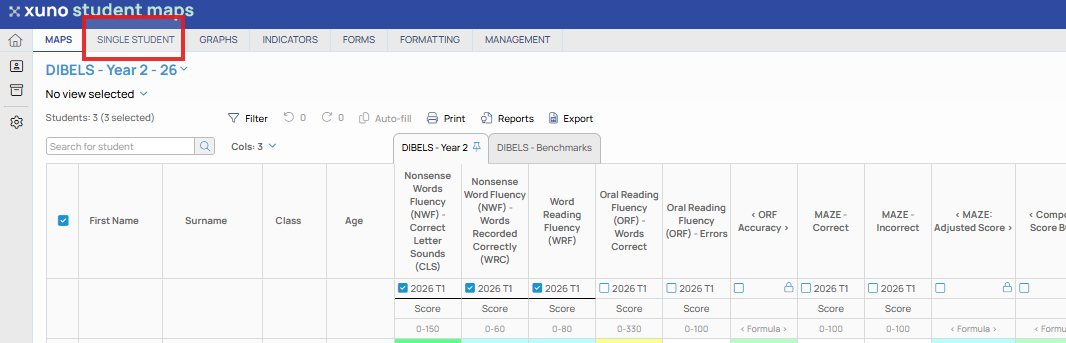
Selecting a Student
You can select a student in one of three ways:
- Use the Search for student field to search by name.
- Click a student's name from the student list on the left.
- Use the Previous (◀) and Next (▶) arrows beside the student's name to move between students.
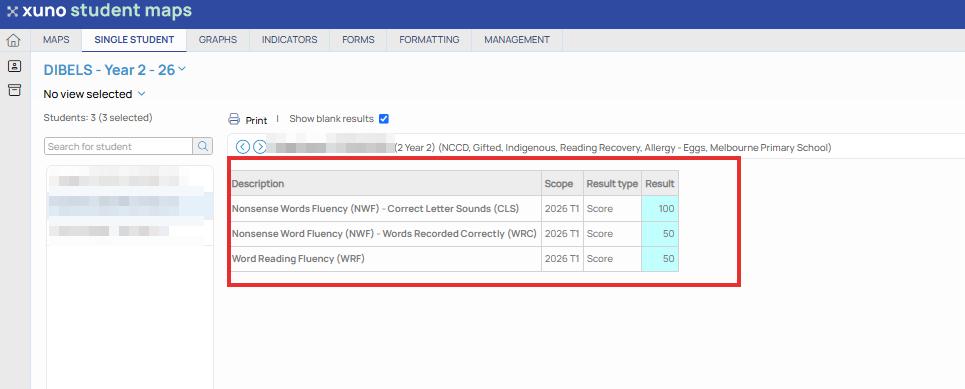
When a student is selected, their assessment results are displayed in the results table.
Understanding the Results
The results table contains the following information:
| Column | Description |
|---|---|
| Description | The name of the assessment. |
| Scope | The assessment period or test date. |
| Result Type | The type of result recorded, such as Achievement, Proficiency, Growth or Progression Point. |
| Benchmark | The expected score or range required for the student to be considered at the expected level. |
| Result | The student's recorded result for the assessment. |
| Relative Performance | Compares the student's result against the benchmark. Colours indicate performance: • Red – Below expected level • Orange – At expected level • Green – Above expected level |
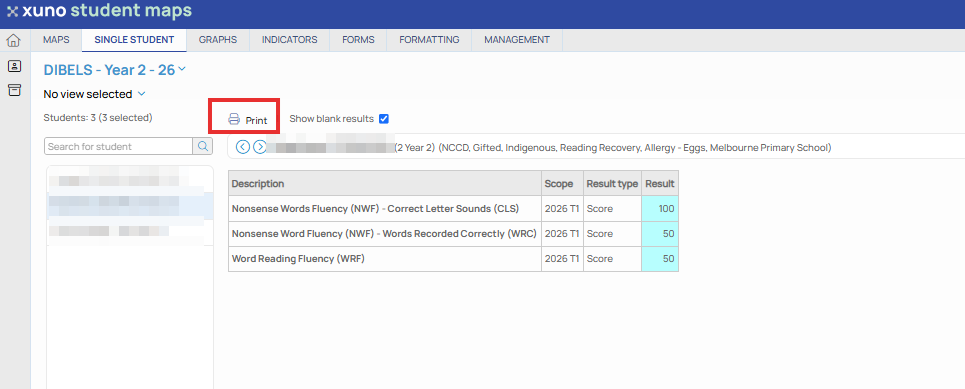
You can print the currently selected student's results.
- Select the student you want to print.
- Click Print on the toolbar.
- Choose either Portrait or Landscape page orientation.
- Click OK to open the Print Preview window.
- Review the layout, then use your browser or computer's print options to print the student profile.