![XUno logo White with border.png]](https://docs.xuno.com.au/hs-fs/hubfs/XUno%20logo%20White%20with%20border.png?height=35&name=XUno%20logo%20White%20with%20border.png)
To print a student map:
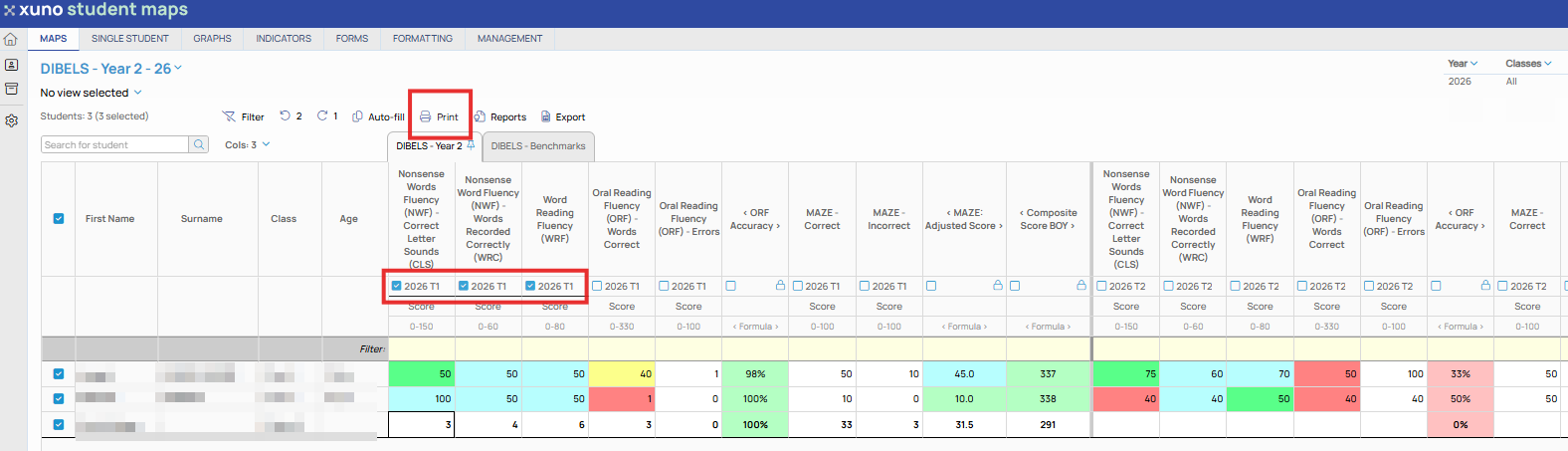
- Select the columns you want to include in the printout.
- Click Print on the toolbar.
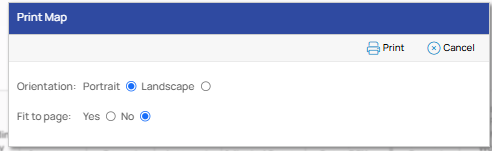
- Choose either Portrait or Landscape page orientation.
- Click OK to open the Print Preview window.
- Review the print layout, then use your browser or computer's print options to print the document.