![XUno logo White with border.png]](https://docs.xuno.com.au/hs-fs/hubfs/XUno%20logo%20White%20with%20border.png?height=35&name=XUno%20logo%20White%20with%20border.png)
If you are using Student Maps and Xuno together, you can open a Student Information page in Xuno directly from that student in Student Maps so you can easily access all student information in Xuno, including family details, attendance, documents, incidents, reports and more. This is a handy shortcut to be able to see all relevant student information alongside academic outcomes recorded in Student Maps.
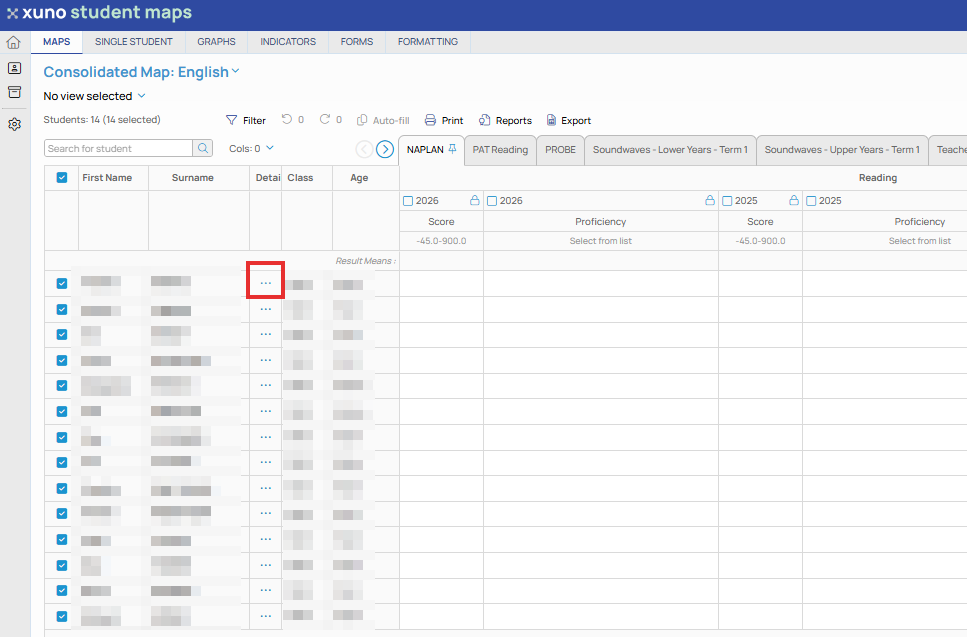
• If you are using Xuno, you will notice a column in Student Maps titled “Details”, and each cell contains “…”.
• Simply click on the “…” next to the student you want to see in Xuno.
• That student’s Student Information page in Xuno will then be opened in a new browser window, and from here you can see all incidents, notes, attendance details etc.