![XUno logo White with border.png]](https://docs.xuno.com.au/hs-fs/hubfs/XUno%20logo%20White%20with%20border.png?height=35&name=XUno%20logo%20White%20with%20border.png)
Note:
If you are going to a location where you will not have internet connection, you must download the required event details before going to the event, when you still have internet connection.
Note:
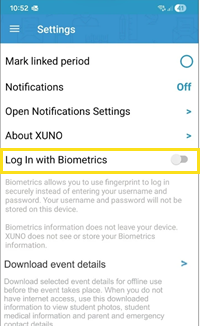
You must enable the Biometric Log In feature on your mobile phone to download event details. This ensures that downloaded event data is secure and can only be accessed by the authorised person.
To turn on Biometric Log In, open the Settings menu on your phone and switch on the “Log In with Biometrics” option.
How to download event details in XUNO Staff app
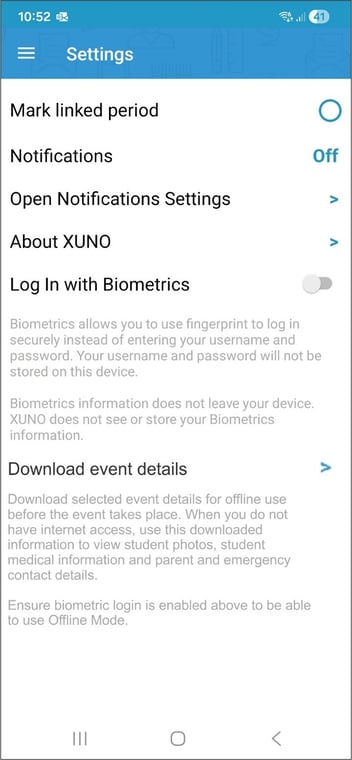
In the Staff App, go to Settings and select Download Event Details (see below).
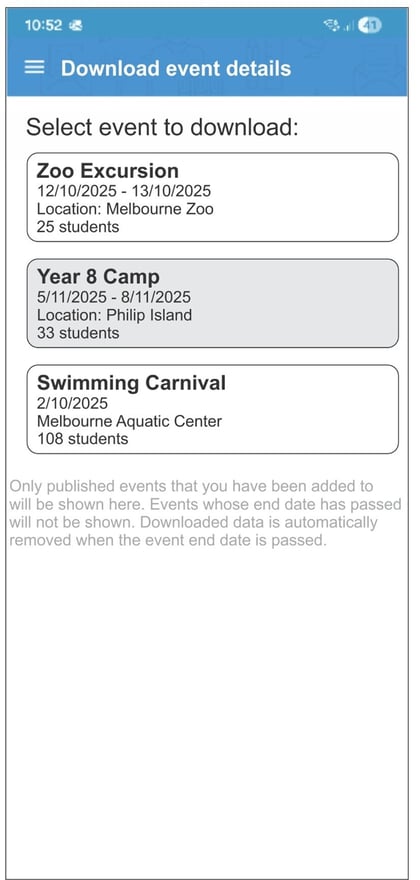
Once selected, a list of all published and upcoming events will be displayed. Staff can choose which event they wish to download. A confirmation message will appear once the download is successful.
Note:
Only events you have been assigned to will appear. If you can’t see an event you need, please speak to your event administrator to add you to the event's staff list.
To confirm offline access, switch your phone to Airplane Mode or disconnect from the internet. You will be prompted to sign in using biometrics. Once signed in, you will see a list of all downloaded and current events, including the event you have just downloaded.
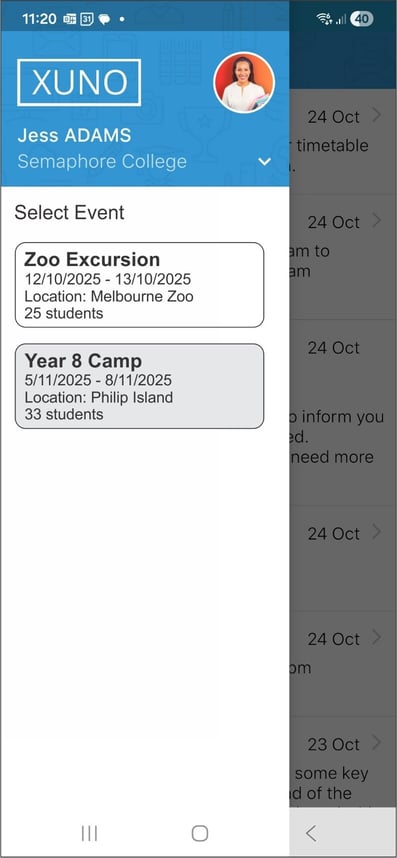
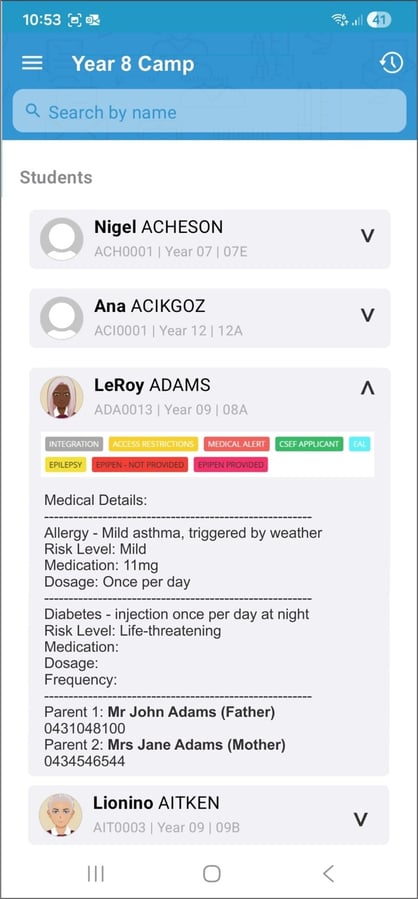
When an event is selected, the app will display a list of students, including their photo, name, medical details, parent or emergency contact information, completed event forms, and any related medical attachments (if applicable).
Note:
Re-downloading an event will overwrite any previously downloaded versions.
When the Event Is Finished
To ensure confidential information is not retained on the device after an event has concluded, the app will check and remove offline event data where the event end date has passed.