![XUno logo White with border.png]](https://docs.xuno.com.au/hs-fs/hubfs/XUno%20logo%20White%20with%20border.png?height=35&name=XUno%20logo%20White%20with%20border.png)
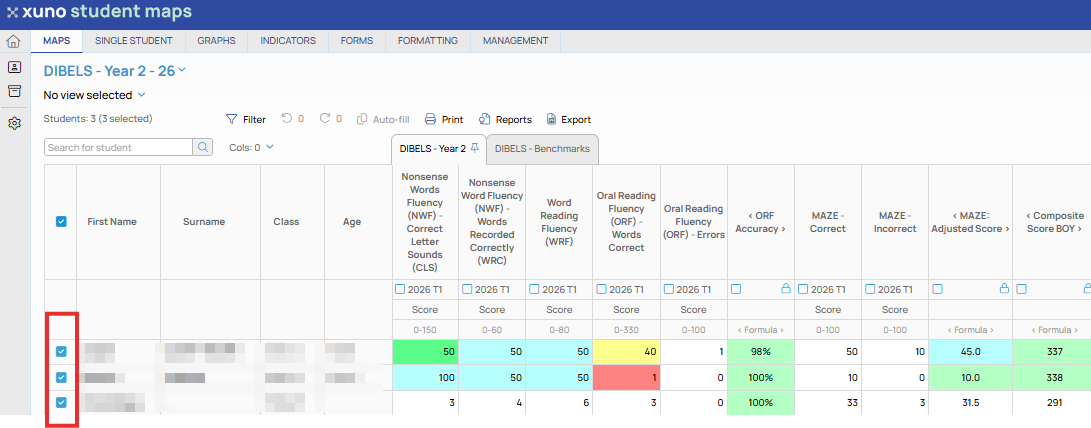
• When generating graphs, you can include or exclude specific students to be included in the graph, from the list of students displayed in the map.
• Tick or untick the box to the left of the student's name on the map page to include or exclude students from the graph. Only ticked (selected) students will be included in the graph.
• You still can highlight specific students on the graph page out of all students selected to be included in the graph.