![XUno logo White with border.png]](https://docs.xuno.com.au/hs-fs/hubfs/XUno%20logo%20White%20with%20border.png?height=35&name=XUno%20logo%20White%20with%20border.png)
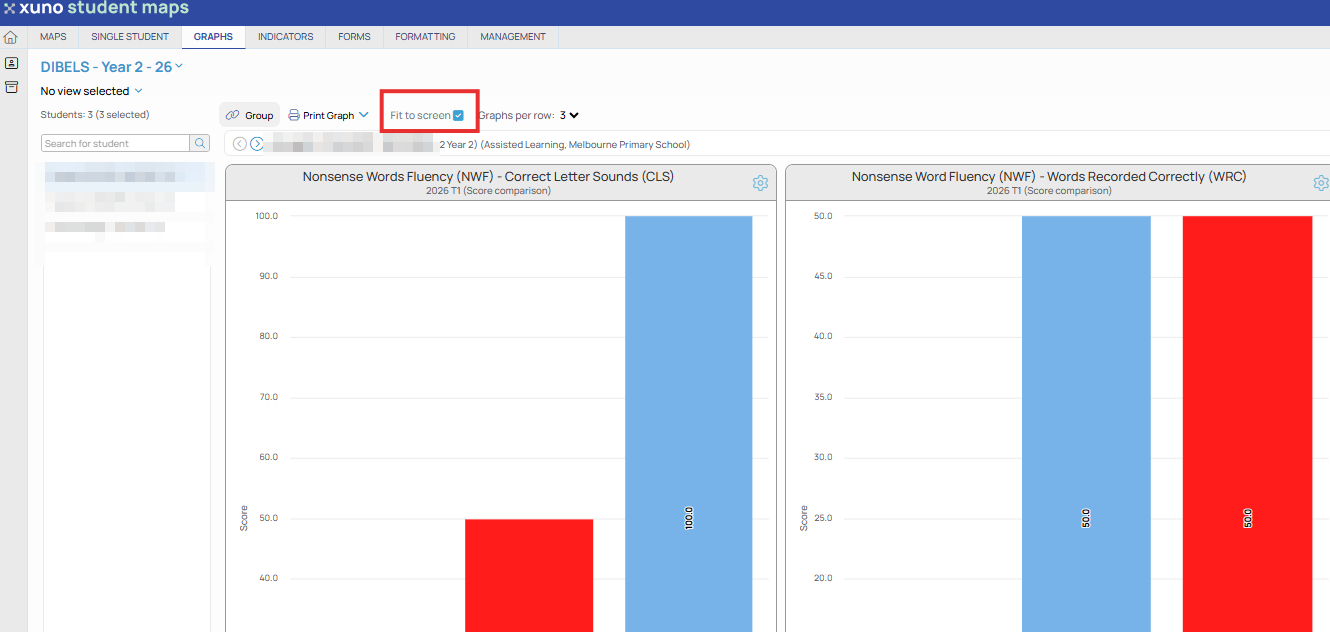
To improve readability of graphs on the screen, you can choose to force the visible graphs to fit to the current screen size. This means you won’t have to scroll vertically to see all graphs, as they will all be visible on the screen.
• To fit the selected graphs to the current screen size, tick the Fit to Screen checkbox, which will redraw the graphs to fit into the available screen size. You can also click Hide Options to allow the graphs to be shown as large as possible on the screen.
• If you have too many graphs displayed and you are using a small screen, this may render the graphs unreadable as they are being forced into a small area, making each graph very small. If this occurs, then untick the Fit to Screen checkbox and graphs will then be redrawn in their default size, allowing you to scroll vertically to see all graphs.